Talks naturally
It listens continuously, answers when you pause for about a second, and stops mid-sentence if you talk over it.
Live AI co-host
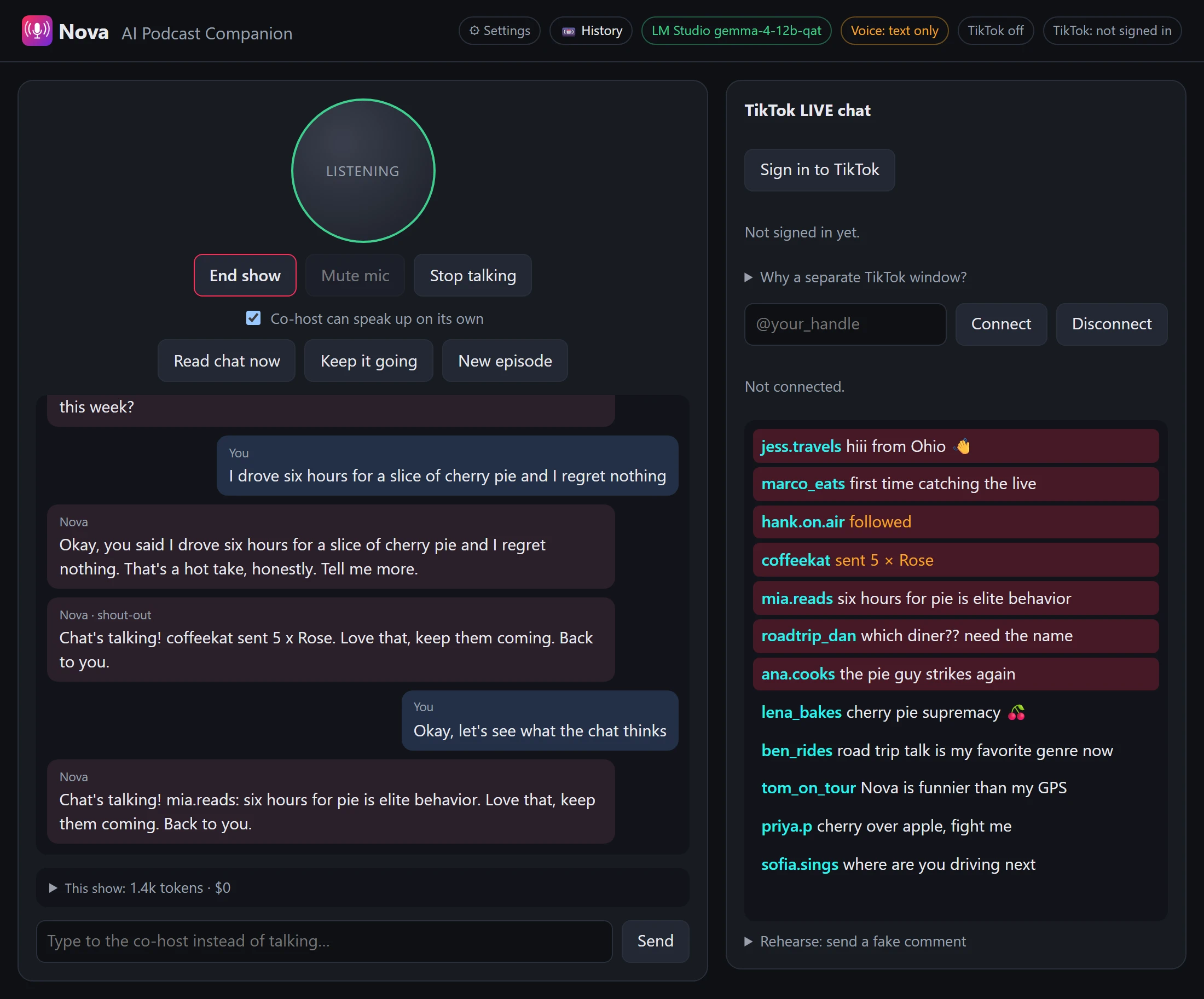
AI Cast Co-host talks with you in real time like a podcast partner, reads your Social Media LIVE chat on air, and remembers every show. The listening, the thinking and the voice can all run on your own computer, or from a subscription or API.
What it does
Built for people who stream and podcast alone - so you always have somebody to talk to on air.
It listens continuously, answers when you pause for about a second, and stops mid-sentence if you talk over it.
When you pause - or say "let's check the chat" - it reads comments out by name and reacts. Questions and mentions go first, and it thanks people for gifts and follows.
Speech-to-text, the language model and the voice can all run on your GPU. Your conversation never leaves your PC unless you choose a subscription or API brain.
Everything you both said, every chat event and which comments it read - with a title and summary written by the model. Search, rename or export to Markdown.
If nobody has spoken for a while, it picks the conversation back up. You can turn that off.
Links, "add me on Telegram" spam, your blocked words, repeated comments and one viewer flooding the chat never make it on air.
LM Studio or Ollama for free and fully local - or your own Claude or ChatGPT subscription, run isolated with no tools or files.
Capture its voice as an audio source, and add on-screen chat and live captions as a Browser Source - vertical 1080x1920 ready.
Send fake comments, gifts and follows to practise, or replay a recorded chat. "New episode" gives it a clean slate.
How it works
Replies stream to speech sentence by sentence, so it starts talking before it has finished thinking.
You talk, like you would to a guest.
Hears when you start and stop.
large-v3-turbo on your GPU turns speech into text.
A local LLM - or your subscription - with the chat woven in.
Speaks the reply into your headphones and OBS.
Buy once. Your licence key arrives by email a moment later.
Install and activate. Paste the key into Settings → Licence. It needs the internet once; after that it works offline.
Pick a brain. LM Studio, Ollama, Claude or Codex - the Test this brain button times a real reply.
Go live. Wear headphones, add the OBS sources, press Go live and just talk.
Pricing
No subscription and no account to keep paying for - the models run on hardware you already own.
AI Cast Co-host
Join the list below and you'll hear the day it opens.
Questions
Only for three things: activating your licence once, reading Social Media LIVE chat, and - if you pick one - a Claude or ChatGPT subscription brain. The listening, the local model and the voice all run offline.
Once activated, the app checks in quietly when it happens to be online, and keeps working for months if it isn't.
An NVIDIA GPU with CUDA. 8 GB of VRAM runs smaller models; 12 GB or more is comfortable for a 12B model like Gemma 4 12B. If you use a Claude or ChatGPT subscription as the brain, the GPU only has to run speech and voice.
No. You pay once and the licence doesn't expire. The first year of updates and support is included, and the version you have keeps working after that. The free local brains cost nothing to run; a Claude or ChatGPT brain uses your own subscription and counts toward its usage limits.
Yes - a licence covers 2 computers. Replacing one? Sign it out from Your licences on this site and activate the new one.
Yes, once. TikTok has no official chat API, so the app reads your chat the way you would: through TikTok's own page, in a separate Google Chrome window it opens for you (it offers to install Chrome if you don't have it). You sign in there yourself - the QR code with your phone is quickest - and the window remembers you for weeks.
Your password never goes through the app, and nothing passes through a third-party server. While you're live, leave that window open; minimised is fine. A change on TikTok's side can still break it until an update ships.
Show history is saved on your PC and nowhere else. Audio isn't kept at all - record your stream with OBS if you want it. This website never sees any of it.
Windows only for now. The voice pipeline is built around NVIDIA CUDA.
Ask for a refund within 14 days and you'll get one - see the refund policy. The licence is switched off when the refund goes through.
Release notes
New versions, new voices and new features - a short email when there's something worth your time. Nothing else.